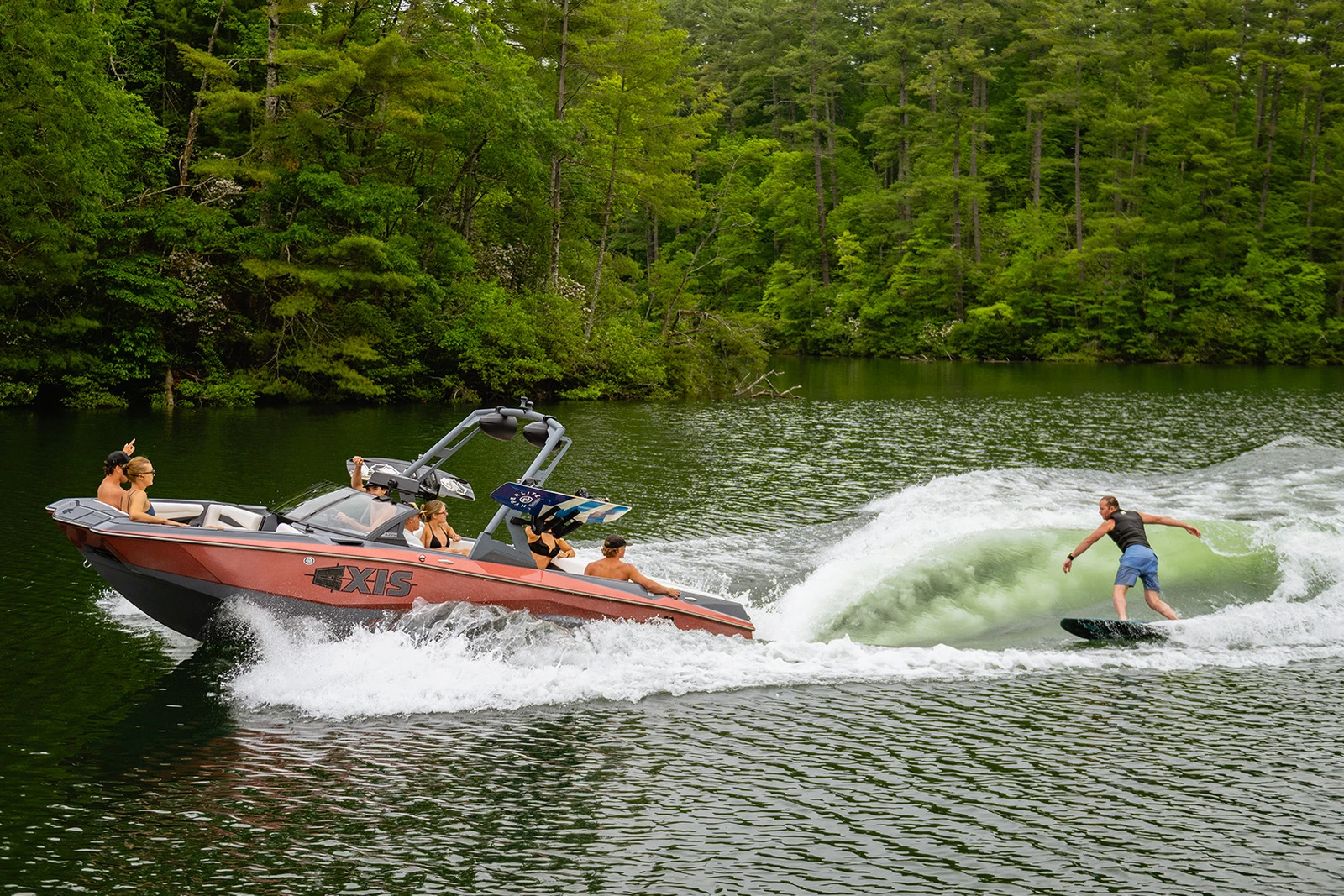
So you've got your hands on an Axis boat and you're ready to create some epic waves for wakesurfing. Maybe you've never done this before, or maybe you've tried and ended up with something that looked more like a gentle ripple than a rideable wave. Don't worry – we've all been there.
The good news? Axis boats are designed to make wave creation as straightforward as possible, even if you're starting from scratch. With the right setup and a little patience, you'll be throwing perfect waves that'll have your friends begging for more rides.
UNDERSTANDING YOUR BOAT'S SURF SYSTEMS
Before we dive into the step-by-step process, let's talk about what makes Axis boats so good at creating waves. Your Axis is equipped with sophisticated surf systems that were originally developed by Malibu Boats, the worldwide leader in tow boat production.
Your boat’s surf setup — including Surf Gate®, Power Wedge® III, and built-in ballast tanks — works with the Monsoon engine and Wake Plus™ hull to shape a wave that’s made to ride. Think of it like this: you’re using weight and water flow to create the perfect wave, just right for learning and having fun.
The ballast tanks fill with water to add weight to specific areas of your boat, while Surf Gate redirects water flow to either side of the boat. Power Wedge adds additional weight to the rear of the boat, dragging it down further. When these systems work together, they create a clean, powerful wave that's perfect for surfing.
GETTING STARTED: USING SURF PROFILES

Here's where your Axis boat really shines. Surf presets make creating perfect waves as simple as pressing a few buttons. Instead of manually adjusting ballast tanks and surf hardware, your boat does all the heavy lifting for you.
Step 1: Access Your SURF Presets
Tap the 'Watersports' icon on your Axis touchscreen display to open the surf system menu. You’ll see several pre-set rider profiles including 'Surf Left', 'Surf Right', 'Wakeboard Beginner', and 'Wakeboard Advanced'. These profiles automatically adjust ballast levels, Surf Gates, Power Wedge position, and cruise speed.
Step 2: Let the System Work
Once a profile is selected, your Axis takes over. The appropriate ballast tanks will begin to fill, Surf Gates will deploy to the selected side (left or right), and the Power Wedge will lower to its programmed position. You’ll see everything happening in real-time on your dash.
Step 3: Fine-Tune if Needed
Want to tweak the ride? Use the touchscreen to adjust ballast tank fill levels or wedge position manually. You can also use the optional Surf Band to make changes on the fly while you're riding: tap the up/down arrows for wedge adjustments, or left/right to swap the wave side.
Adjusting for Rider Weight and Style
Heavier riders typically need more ballast for a bigger, more powerful wave. Lighter riders may prefer less ballast for a mellower ride. Skim-style surfers often want higher speeds and less wedge; surf-style riders will want a steeper wave with more ballast and a lower wedge setting.
COMMON BEGINNER MISTAKES (AND HOW TO AVOID THEM)
Mistake #1: Not Trusting the Presets
These presets were developed with tons of testing. Try them as-is before making changes. Trust the system.
Mistake #2: changing settings Too Quickly
Give the system time to adjust. The ballast takes a few minutes to fill or empty, and the hardware needs time to move into place. Be patient.
Mistake #3: Ignoring Rider Feedback
Your surfer is the best feedback loop you have. If the wave feels off, try switching to a different pre-set before over-adjusting manually.
PRO TIPS FOR PERFECT WAVES
Dial in your wave like the pros do. Whether you’re just starting out or leveling up, these tips will help you ride smoother, longer, and with waves that put you in control.
Use the Surf Band for Mid-Ride Adjustments
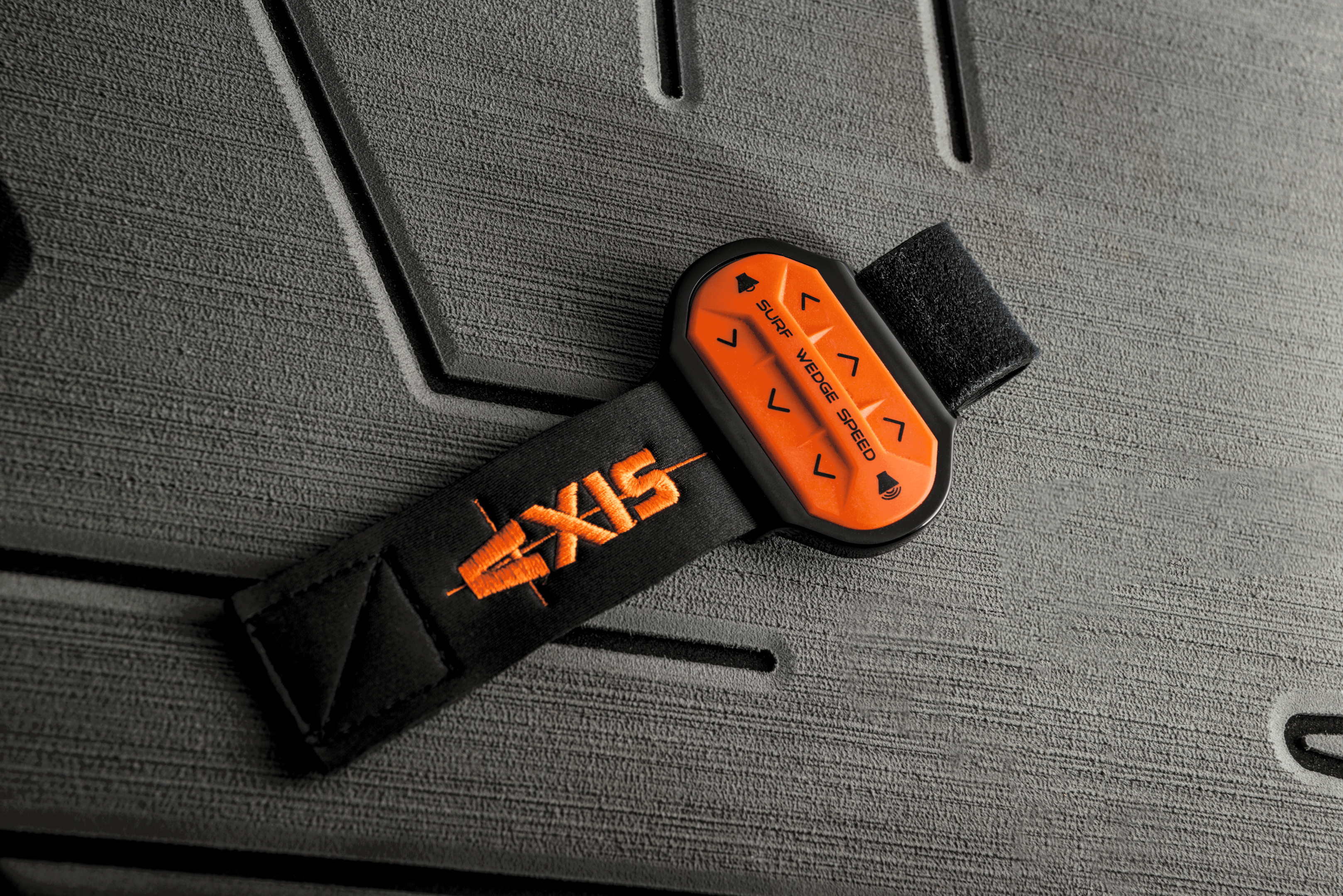
Want a little more push while you’re riding? Use the Surf Band wrist remote to lower the wedge or shift the wave.
Use "Go Home" Mode When You’re Done
Hit the "Go Home" button on the touchscreen to drain all ballast tanks, center the Surf Gates, stow the Power Wedge, and disengage cruise control. One tap and your boat starts packing up for you.
MAKING IT STICK
The best way to master wave creation on your Axis boat is repetition. Every outing, try small variations. Take notes. Pay attention to feedback. Your boat is packed with high-tech features designed to make you look like a surf genius. Lean into it.
SAFETY FIRST

Remember, you're the captain. Always have a spotter on board, maintain safe distances from other boats and swimmers, and use hand signals for communication. Never wakesurf in crowded areas or near shorelines. And make sure everyone onboard wears a proper life vest when required.
READY TO GO ALL OUT?
Your Axis boat has everything you need to create amazing waves. With rider profiles, onboard tech, and a bit of experimentation, you’ll be the captain everyone wants to surf behind. Start simple. Get feedback. Make adjustments. Go All Out.